DTM-1 Panel Set
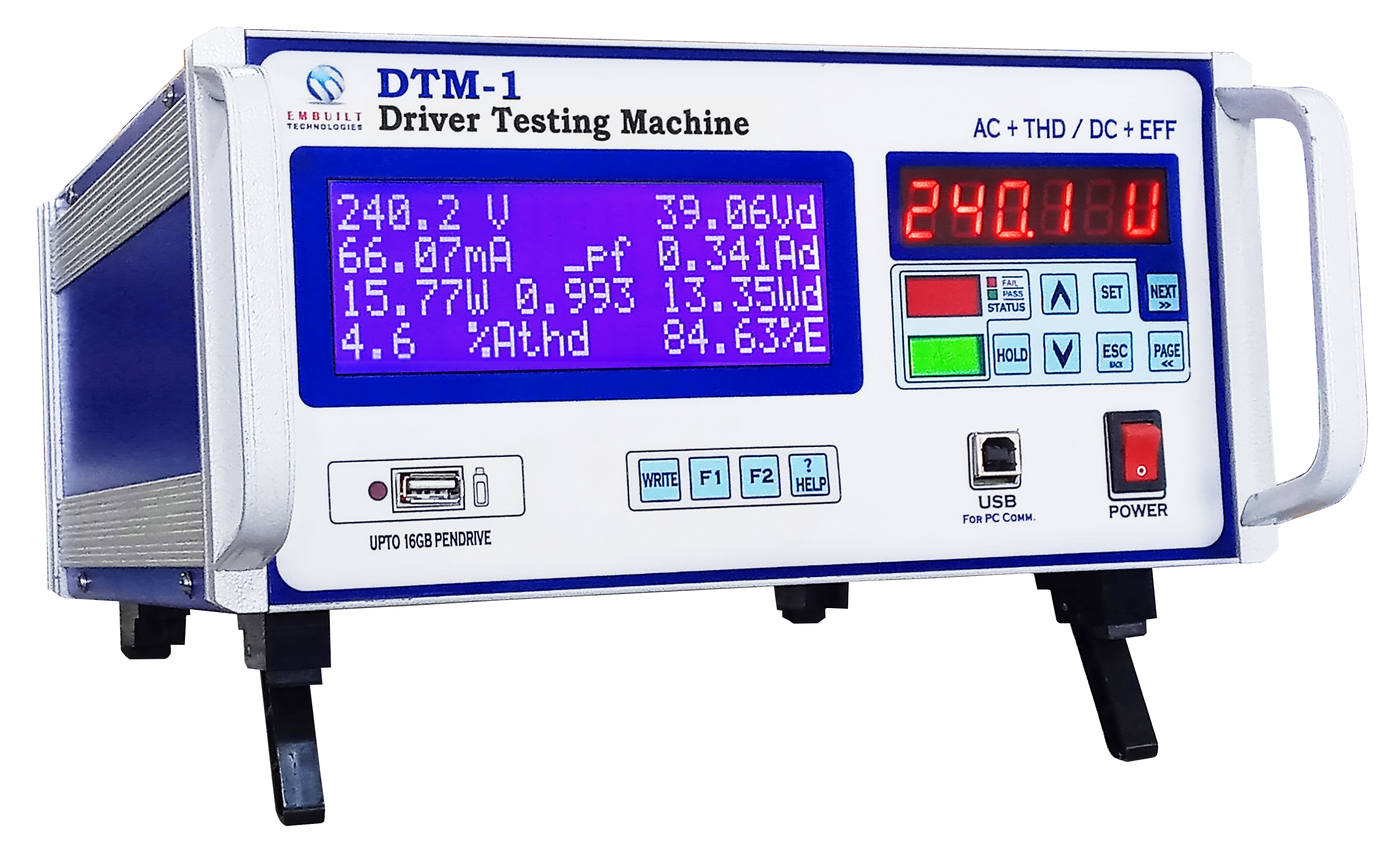
The DTM-1 Panel Set provides detailed information about the control panel layout and functionality of the DTM-1 Digital Tester.
Panel Overview

The DTM-1 features an intuitive control panel designed for easy operation and clear display of measurement results.
Key Panel Components
- Display Screen: High-contrast LCD for clear parameter readings
- Navigation Keys: Intuitive buttons for menu navigation
- Function Buttons: Dedicated keys for common operations
- Power Button: Controls device on/off state
- Mode Selector: Switch between AC and DC measurement modes
- Range Controls: Adjust measurement ranges as needed
- Hold Button: Freeze current measurements on display
- Print/Export: Transfer data to external devices
Display Information
The panel display shows critical measurement parameters including:
- Voltage (V)
- Current (A)
- Power (W)
- Power Factor (PF)
- Frequency (Hz)
- Harmonics (THD)
- Efficiency (%)
Indicator Lights
● Power ON
Indicates the device is powered and operational
● Measurement Active
Shows when measurements are being taken
● Error/Warning
Alerts to potential issues or out-of-range measurements
● Data Ready
Indicates data is available for export or printing
Panel Navigation
Navigating the DTM-1 panel:
- Use arrow keys to move through menu options
- Press ENTER to select highlighted options
- Press ESC to return to previous menus
- Hold SET button for 3 seconds to access settings
DTM-1 Resources
Related Products
DTM-1
Digital Tester for LED Drivers
THDPM-1
Total Harmonics Distortion Power Meter
DPA-1i
Digital Power Analyzer